EXEBillSimple receipts. Clear records.

INSIDE EXEBILL

Everything for everyday billing.

See the screens. Find the tools you need.

01 / BILLING

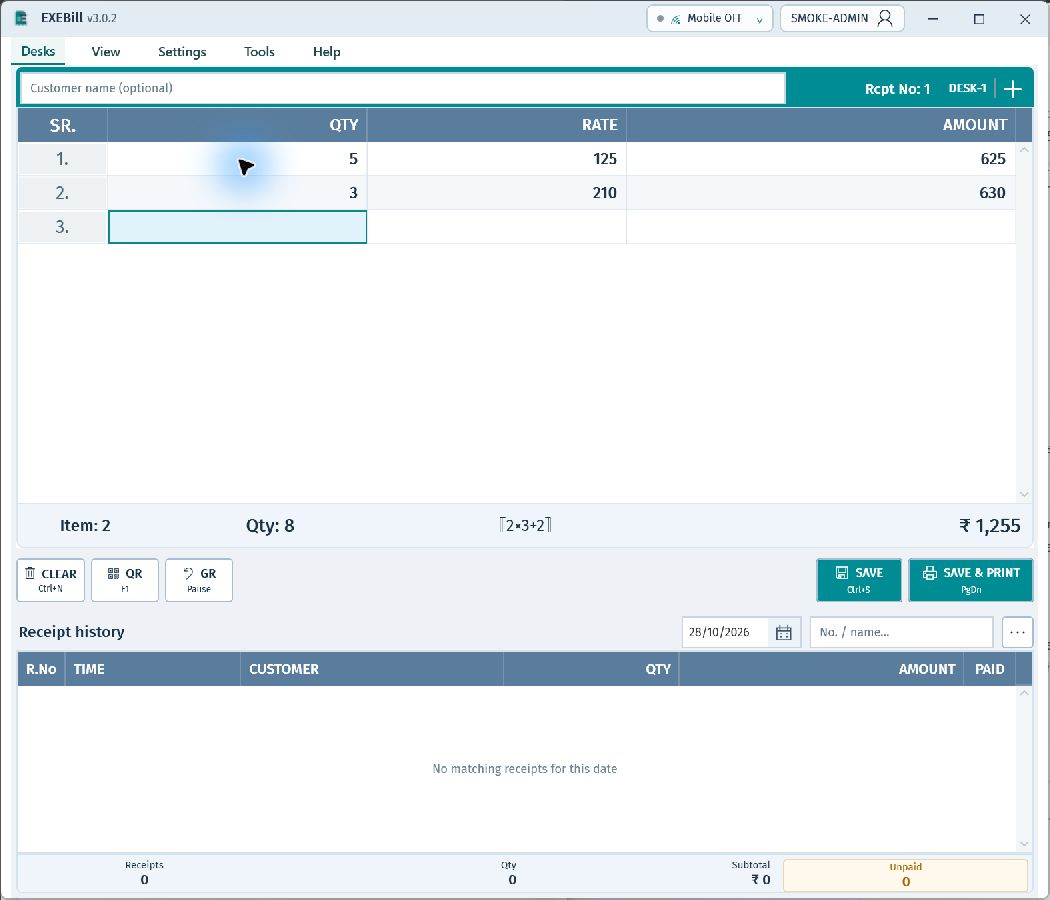
Qty. Rate. Done.

Clear totals, keyboard shortcuts and separate billing desks.

  • Save, print and Goods Return
  • Draft receipt printing
  • Receipt edits with version history
Actual EXEBill sample billing screen: SR, Qty, Rate, Amount
Actual app · Sample data · Open full size

02 / PAYMENTS

One bill. More ways to pay.

Cash & Credit

Record received money and see what is still due.

UPI & split payments

Link the selected UPI account to the receipt. Check payment in your bank before confirming.

Safer corrections

Protect saved payment rows with locks and review receipt versions.

03 / MOBILE BILLING

Your familiar keypad.
On your phone.

Enter Qty and Rate, view totals and send the bill to your PC for printing.

  • Scan the PC QR and verify owner email OTP
  • Sign in with your billing user
  • Connection status and receipt history

Mobile access depends on your licence. Keep the PC billing service running and internet connected on both devices.
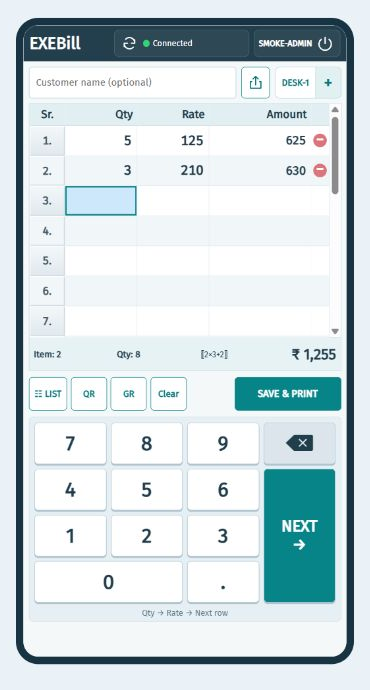
Actual EXEBill mobile UI with full numeric keypad
Actual mobile UI · Sample data

04 / REPORTS

Know what came in.
See what is due.

Filter receipts by date, customer, payment mode or UPI account.

  • Bill amount and selected payment amount
  • Payment breakdown and due totals
  • PDF, Excel and print exports

Reports show retained records. Keep separate backups.
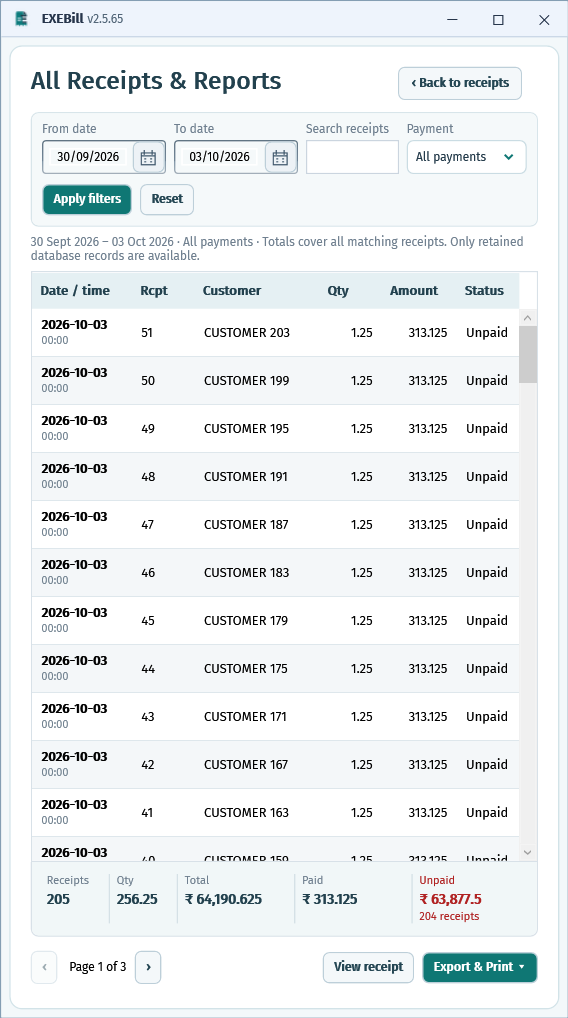
EXEBill receipt reports screenshot; appearance varies by version
App screenshot · Appearance varies by version

05 / STORE SHARING

Your stores.
A clearer view.

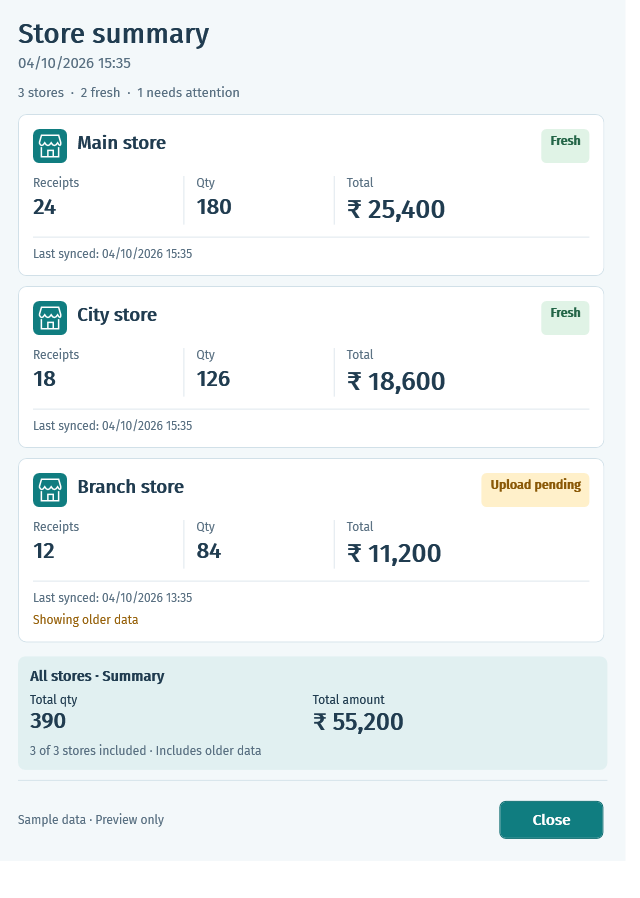
Share a read-only view with verified accounts. Check the last sync time for freshness.
  • Owner-controlled access
  • Store summaries and receipt totals
  • Optional export and print permissions
EXEBill store summary screenshot
App screenshot · Sample data

Ready for your next bill?

Download, verify your email and get started.

Download for Windows →